🧠 Introduction
A landing page is designed to convert visitors into leads or customers.
With Elementor Free, you can create a professional landing page without coding or paid tools.
In this guide, you’ll learn how to create a landing page using Elementor Free version, step by step.
🔧 What Is Elementor Free?
Elementor Free is a drag-and-drop WordPress page builder that allows you to visually design pages.
With the free version, you can:
-
Create landing pages
-
Design sections & columns
-
Add buttons, images, headings
-
Work smoothly with Astra Theme
⚙️ Step 1: Install Elementor Plugin
-
Go to Plugins → Add New
-
Search for Elementor
-
Click Install → Activate
No payment required ✅
📄 Step 2: Create a New Page
-
Go to Pages → Add New
-
Page title:
Landing Page -
Click Edit with Elementor
🧱 Step 3: Choose Page Structure
Inside Elementor:
-
Click ➕ icon
-
Select single column layout
📌 Keep the design simple for better conversions.
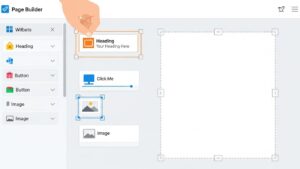
🎯 Step 4: Add Hero Section
Add these widgets:
-
Heading (Main headline)
-
Text Editor (Short description)
-
Button (Call to action)
Example:
-
Heading: Grow Your Business with WordPress
-
Button: Get Started Now
🖼️ Step 5: Add Image or Icon
Use:
-
Image widget (compressed image)
-
Or icon widget for lightweight design
📌 Do NOT overload with images (speed matters).
✉️ Step 6: Add Contact or Signup Form
Options:
-
Use WPForms Lite
-
Or simple button linking to contact page
Goal:
✔ Collect leads
✔ Encourage action
🎨 Step 7: Style Your Landing Page
In Elementor settings:
-
Font: Default (Astra optimized)
-
Colors: 2–3 max
-
Spacing: Clean & balanced
📌 Minimal design = higher conversions.
📱 Step 8: Mobile Responsiveness
-
Click Mobile View
-
Adjust text size
-
Check button alignment
Elementor makes mobile editing easy.
🚀 Publish Your Landing Page

-
Click Publish
-
Set page as homepage if needed:
-
Settings → Reading → Static Page
-
✅ Best Practices for Landing Pages
✔ One clear goal
✔ Simple headline
✔ Strong call-to-action
✔ Fast loading
✔ No distractions
🏁 Final Thoughts
Elementor Free is powerful enough to create high-converting landing pages when used correctly.
Combined with Astra Theme, it gives speed, flexibility, and clean design.